
Notion AI
TL;DR
Notion AI is not an AI writing tool — it’s an AI layer on top of your Notion workspace. If your team already runs on Notion for project management, docs, and wikis, moving to the Business plan, which now includes full Notion AI, is an easy call. If you’re looking for a standalone AI writer, look at Writesonic or Jasper AI instead.
What is Notion AI?
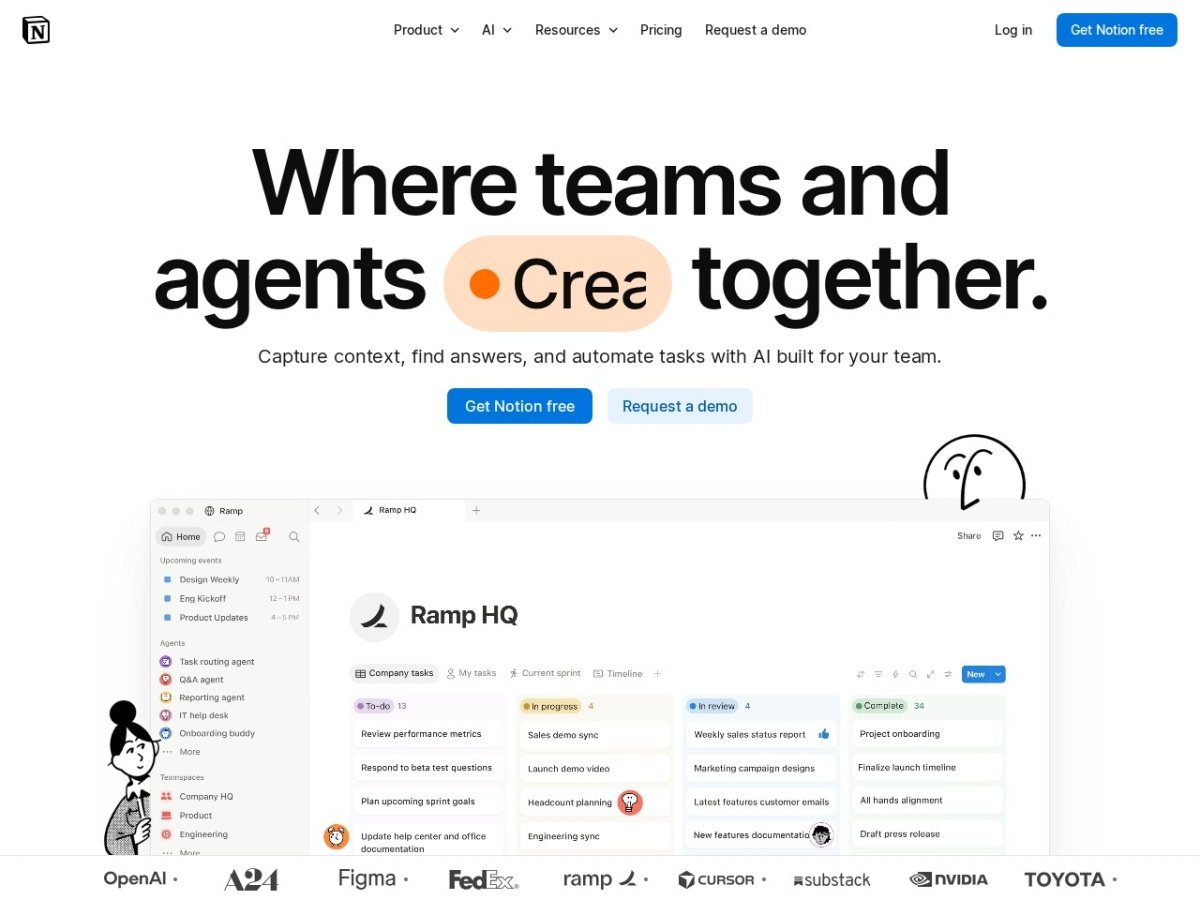
Notion AI is an AI assistant embedded directly into the Notion workspace. Unlike standalone AI writing tools, it’s not a separate product — it lives inside your existing Notion pages, databases, and docs. You access it by pressing the spacebar anywhere in a Notion page or using the slash command menu.
Our editorial evaluation covered Notion AI inside an active Notion workspace used for project briefs, meeting notes, content planning, and team wikis. The goal: figure out how much it actually speeds up the kind of work Notion teams do day to day.
How to Use Notion AI (5 Things It Does Well)
Open any long Notion page — a meeting transcript, a project wiki, a research dump — and ask Notion AI to summarize it. It reads the full page and returns a structured bullet-point summary in 5–10 seconds. This is the highest-value use case. Long pages that used to take 10 minutes to read now take 30 seconds to absorb.
Select a list of rough notes or bullet points on any page and ask Notion AI to “make this into a paragraph.” It transforms fragmented notes into readable prose without losing the substance. Useful for turning meeting action items into a proper project brief or expanding a content outline into a draft introduction.
In Notion databases, AI can auto-fill custom fields based on other properties. For a content calendar, you can auto-generate a meta description field from the article title. For a CRM database, you can auto-generate a one-line summary of each company from the notes field. This saves significant manual data-entry time in database-heavy Notion setups.
The “Ask AI” search feature lets you query your entire Notion workspace. Ask “what did we decide about the Q3 budget?” and it finds relevant pages, pulls the answer, and cites the source page. For teams with a lot of historical content in Notion, this replaces manual search and hunting through old pages. Accuracy depends on how well-organized your workspace is.
You can use Notion AI as a basic writing assistant — give it a prompt and it drafts text directly into the Notion page. For short-form content (blog intros, email drafts, product descriptions) it’s decent. For long-form content, it falls well short of dedicated tools like Writesonic or Jasper. The writing quality is average; the convenience of it being in your Notion workflow is the actual value.
What Notion AI Does Well
Context awareness is the standout feature. Because Notion AI can read your actual pages and databases, its outputs are grounded in your real content — not generic. Ask it to summarize last quarter’s project docs and it actually reads them. This is fundamentally different from asking ChatGPT the same question with no context.
Zero workflow friction. There’s no tab-switching, no copy-pasting, no login to a separate tool. The AI is on the same page as your content. For teams that already live in Notion, this makes AI assistance feel natural rather than like a separate tool to remember to use.
Database AI fills are genuinely useful. Auto-generating field values across a database is something no other AI writing tool offers in this format. For Notion-heavy workflows it’s a real time-saver.
Where It Falls Short
Writing quality is mediocre. As a pure AI writer, Notion AI underperforms dedicated tools. The output is generic and often needs significant rewriting. If content production is a core use case, you’ll want Writesonic or Jasper alongside it, not instead of it.
Full AI means paying for the Business plan. At roughly $20 per member per month, a 10-person team is looking at about $200/month. For large teams, the cost becomes meaningful. The value calculation only works if Notion AI is saving each person real time each month.
Only useful if you use Notion heavily. If your team doesn’t have organized Notion content, the workspace Q&A feature is useless and the in-page writing is just an average AI writer. The value scales directly with how much structured content you already have in Notion.
- Reads your actual Notion content
- Zero workflow friction for Notion users
- Database AI fills save data-entry time
- Workspace Q&A replaces manual search
- Page summarization is excellent
- Writing quality is below dedicated tools
- Full AI requires the Business plan (~$20/member/mo)
- Useless without active Notion workspace
- No SEO or research features
Pricing
| Plan | Price | What’s included |
|---|---|---|
| Business | About $20/member/mo (billed annually) | Full Notion AI: Agents, AI Meeting Notes, Enterprise Search |
| Free & Plus | Free / paid | Limited, trial-level AI only |
Who It’s For
Buy Notion AI if: your team already uses Notion as your primary workspace, you have organized content in Notion databases and pages, and the Business plan (about $20 per member per month) is within your tool budget. The summarization and workspace Q&A features alone justify the cost for heavy Notion users.
Consider another tool if: you’re looking for a dedicated AI writing tool with template libraries, long-form content generation, or SEO optimization. For those use cases, Writesonic and Frase.io at $45/month are better fits.
Verdict
Notion AI earns 4.2/5. The context-aware features — summarization, workspace Q&A, database fills — are genuinely excellent and not replicated by any standalone AI writing tool. But it’s a workspace AI, not a content production tool. Treat it as an upgrade to your Notion subscription, not a replacement for a dedicated AI writer.
Disclosure: This page may contain affiliate links. We earn a commission at no additional cost to you. This does not influence our ratings or editorial opinions.
Related Reading